SiteScan browser extension
Free tools in Chrome and Edge. Check the page you are looking at. No account, and nothing to pay. Coming to the Chrome Web Store.
The SiteScan browser extension is free. A small AccessUX tab sits at the edge of the page open in Chrome or Edge, including a page you are still editing. Open the tab, pick a tool, and check that page. Checks run in your browser when you open a tool. The extension does not edit or publish the website.
Key screens
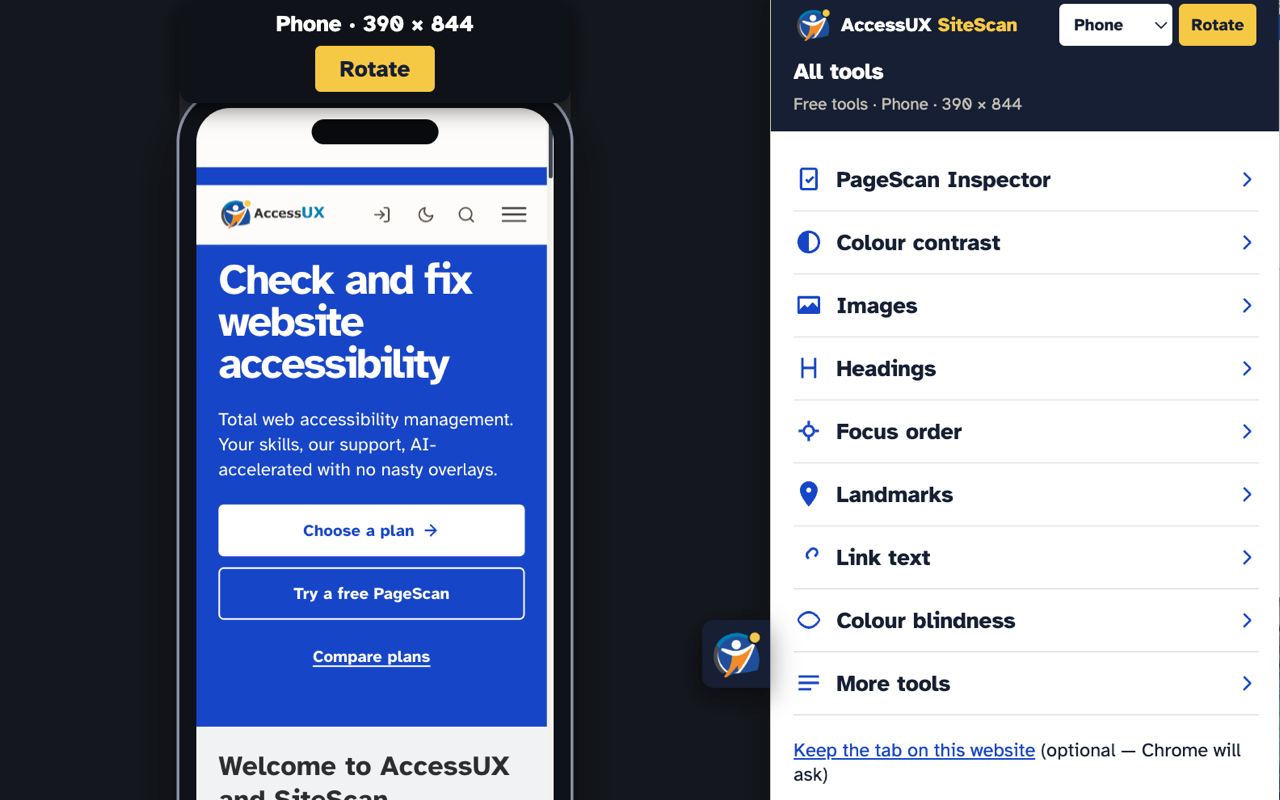
All tools. Screen 1 of 5.
PageScan Inspector
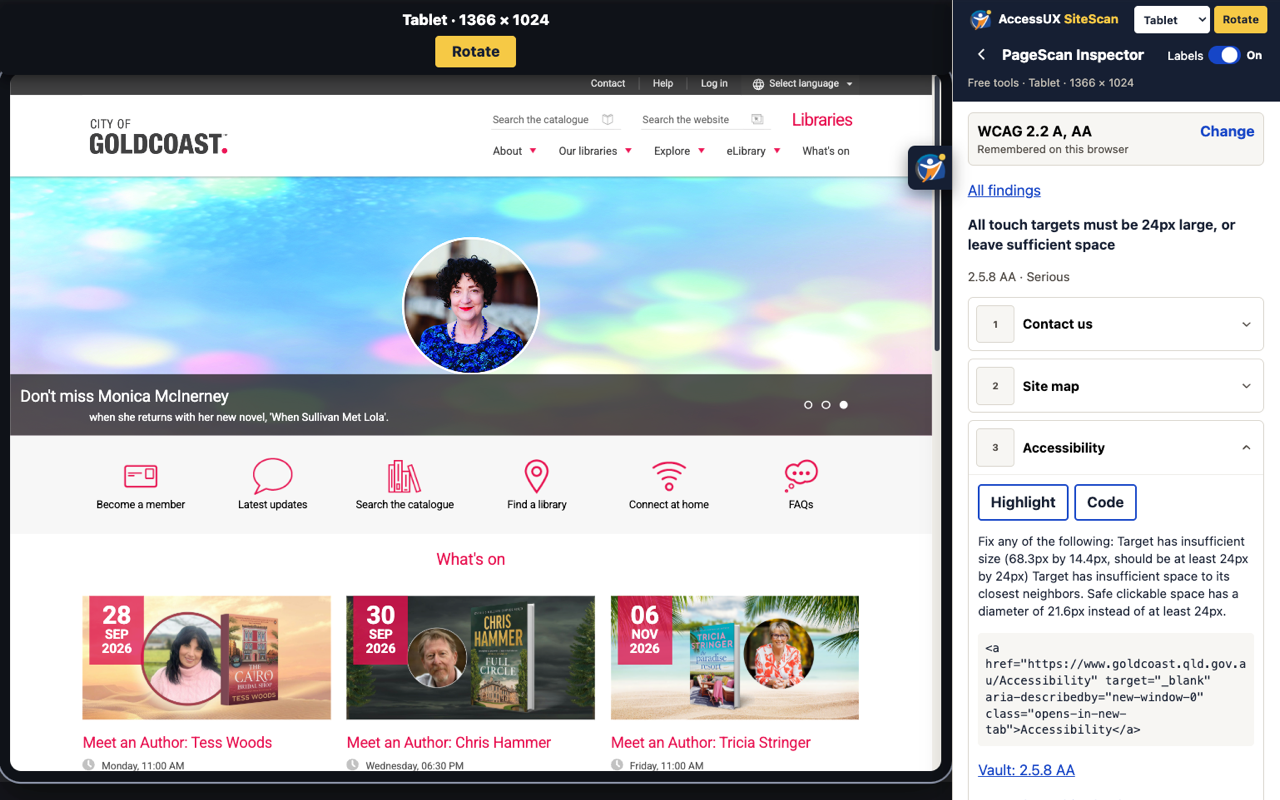
Run automated accessibility checks on the page you are looking at. Choose WCAG 2.0, 2.1, or 2.2, and level A, AA, or AAA. Open a finding to highlight it on the page or see the code.
Desktop, tablet, and phone
See the same page at desktop, tablet, or phone size, including portrait and landscape. Phone and tablet keep the live page in a device frame, so every tool still works and you can still click the page.
Colour contrast
Pick two colours from the page. See the contrast ratio and whether it is enough for text and controls.
Images
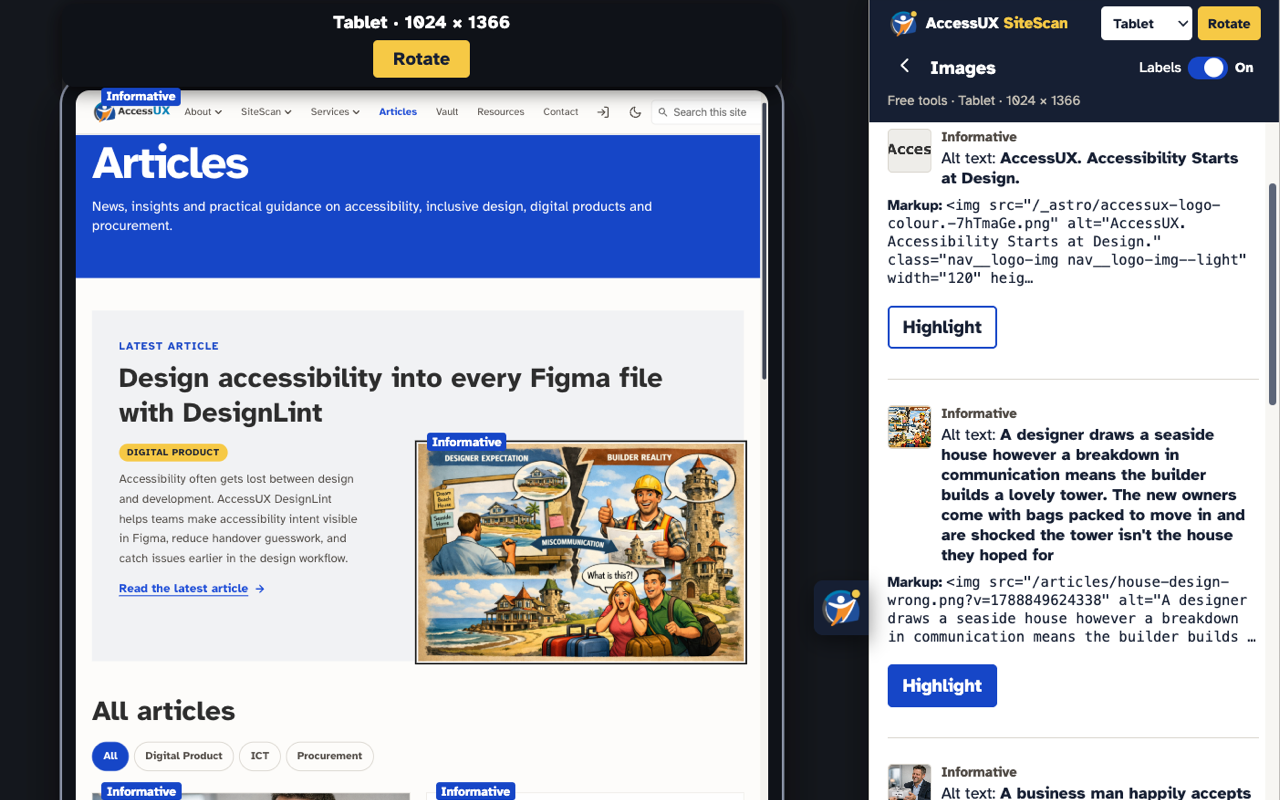
See which images are informative and which are marked decorative, with the alt text and the markup beside each one.
Headings
See the heading outline, including headings marked up with ARIA, and badges on the page.
Focus order
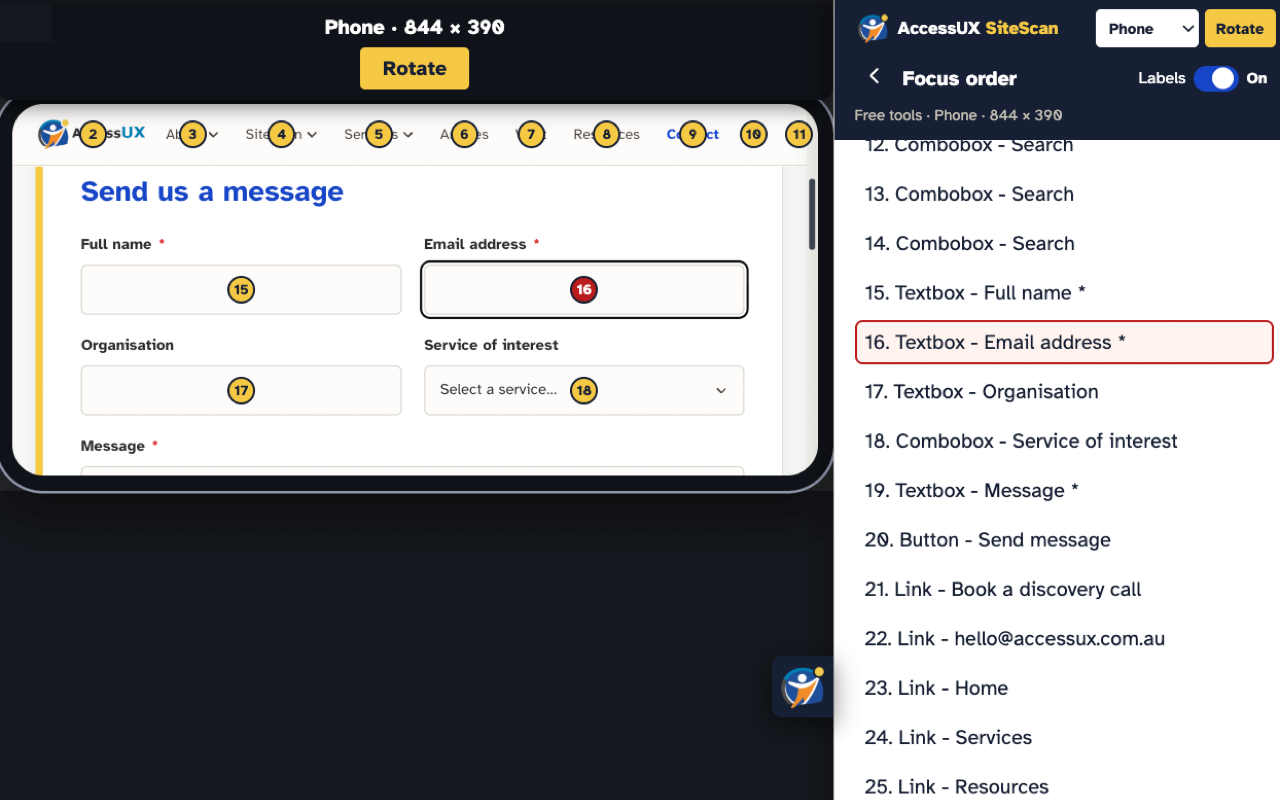
See the keyboard tab order as numbers on the page and as a list in the panel.
Landmarks
See banner, main, navigation, and the other regions on the page.
Link text
Find empty links and links that only say “click here”.
Colour blindness
Preview deuteranopia, protanopia, tritanopia, or grayscale on this tab.
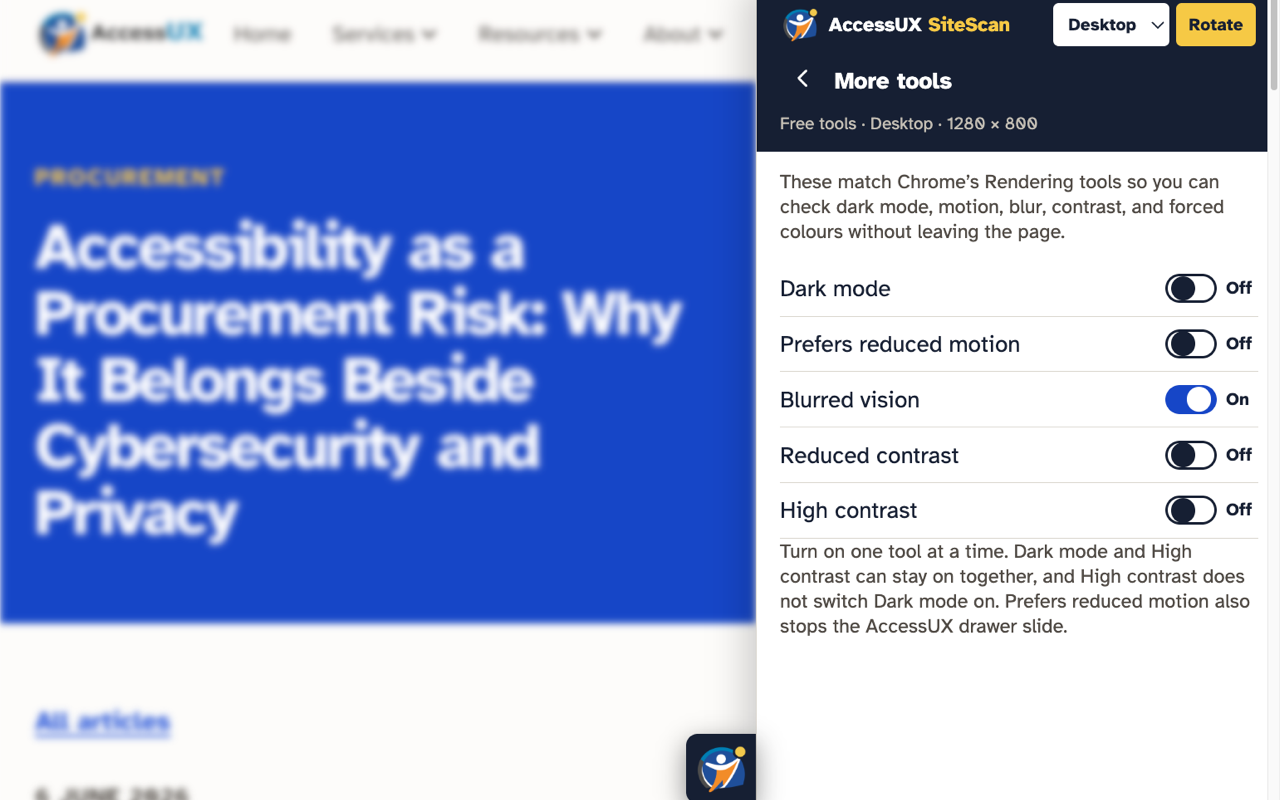
More tools
Check dark mode, reduced motion, blurred vision, reduced contrast, and high contrast without leaving the page. These match Chrome’s own rendering tools.